📝 Track Your Workouts
Last updated About 1 year ago
Let’s talk about why actively logging your workouts makes a real difference in your SweatScore points and your glow-up journey.
💡 Logged workouts = more accurate data
When you actively log a workout (like starting a walk or strength session on your fitness tracker app or smartwatch), it:
✅ Tracks your exact heart rate, not just an estimate
✅ Records your duration and effort levels
✅ Syncs more detailed data to your Health app
✅ Ensures your SweatScore points reflect your true effort
🚶♀️ Why log walks too?
You might think your steps app is enough, but logging a walk as a workout:
✅ Captures your heart rate more accurately
✅ Helps SweatScore see it was intentional movement, not just pottering around
✅ Often earns you more points, because active minutes in Zone 2+ are confirmed
🏋️ How to log your workouts
Open your fitness tracker app (Apple Watch, Samsung Health, Fitbit, etc.).
Select the workout type (e.g. walk, strength training, dance).
Tap Start Workout before you begin.
When you finish, tap End to save it.
⚙️ Enable auto-detect workouts (if available)
If your tracker has an auto-detect workout feature, turning it on can help capture workouts even if you forget to manually start them.
✅ Samsung Health: Settings > Auto detect workouts
✅ Fitbit: Open Fitbit app > Account > Your device > Exercise Shortcuts > Auto detect
✅ Apple Watch: Detects some activities automatically but manual start is always more accurate
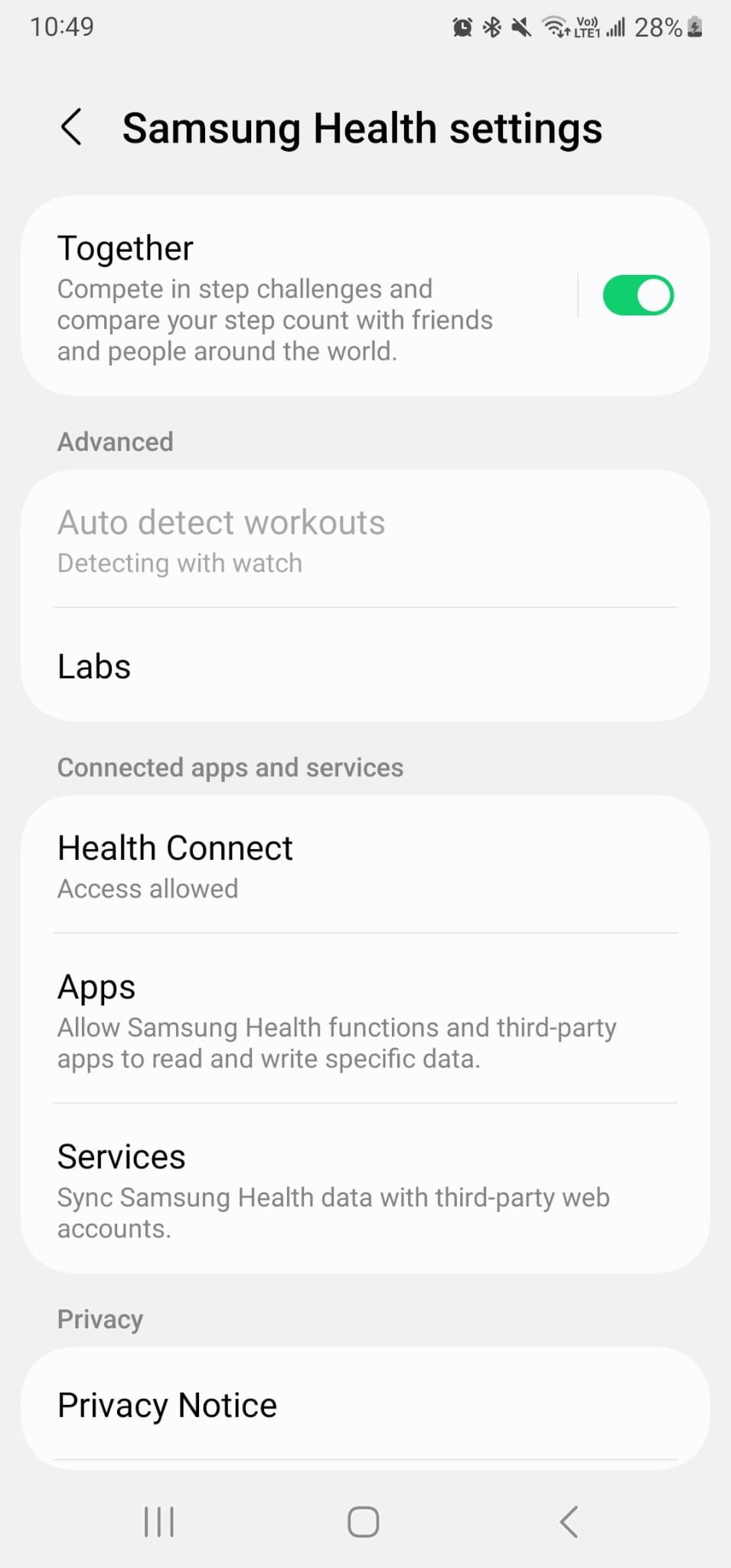
💡 Tip: Auto-detect is helpful, but manually logging is still best for accuracy and full data syncing.
⚠️ Don’t forget permissions
Make sure your fitness tracker app has permission to write workout and heart rate data to Apple Health or Health Connect, and that SweatScore has permission to read that data.
💛 Bottom line
Actively logging your workouts or enabling auto-detect isn’t about complicating things, it’s about making sure every bit of your effort counts. You’re putting in the work. Let your data and your Sweat Points reflect that fully.
Still need help? Ask the team